
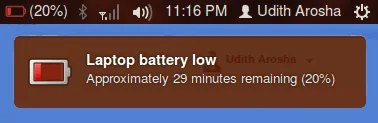
- Overheating (click)- This is the most prominent cause of battery depletion and reduction of overall battery life. Check out the link for ways to decrease and monitor the temperature of your processors and system using Lm-sensors.
- Personal views – Powertop does nothing. No change in performance whatsoever. The command ‘top‘ gives a detailed explanation of the processes running in the computer and their CPU usage. TLP also shows minor improvement in battery life.
- Thermald gives a detailed review about the temperatures and also provides information in the form of graphs. Also ensure that the vents are clean and heat is distributed properly and is not being trapped.
- In some systems the fan speed can be altered using specific commands. Google that. Also for specific systems there are separate fixes and some driver upgrades by get the job done.
- Check auto-start applications and background processes that are running while using Ubuntu task manager.
- I found this manpage for Ubuntu to be quite helpful, brief and later on useless. But worth a shot.
Conclusion
Dump Ubuntu for better and more efficient distro’s like Xubuntu or Lubuntu which are faster and lighter and based on Ubuntu only. I been using Xubuntu for over 3 months now and the experience has been great. It is faster than Ubuntu and more customizable. Got its own battery manager and hordes of options for battery conservation and management. Battery backup now at par with windows to about 3 hours and temperatures of about 30 to 35 degree Celsius.As we all once were new in Linux, we often found us at crossroads as to which distro to start with, which one to choose. I was nervous too. But whichever do you choose. There is no wrong choice here.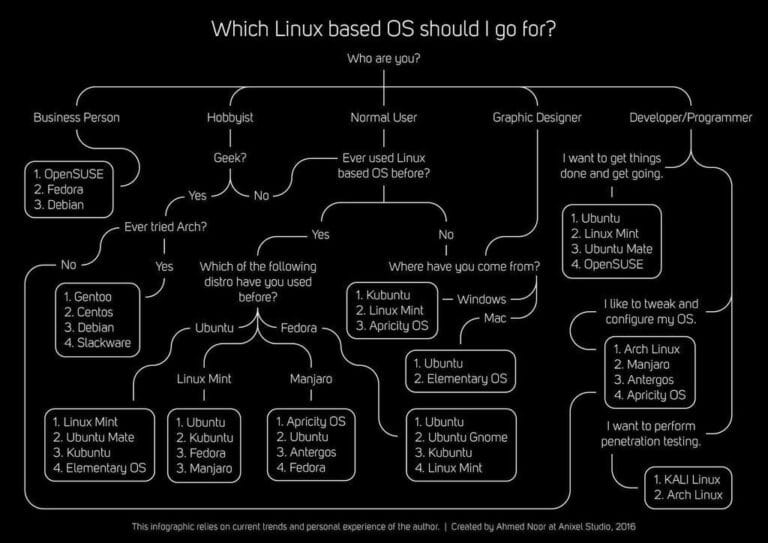
Discover more from Mixster
Subscribe to get the latest posts sent to your email.
That was really helpful
Thanks for the comment, this really helps me keep on going. I am yet to update this post and add more details to it about my detailed experience of Xubuntu. Do follow and share my blog.
Thanks again !!